Edit tool: How to use it
The Edit tool is a feature within our application that allows you to make changes and modifications to your Flipbooks. It provides a user-friendly interface for you to edit and update your files without requiring technical expertise. Here's a general overview of how to use the Edit tool:
Edit Screen
Welcome to the heart of the action: the Edit Screen. This is where you breathe life into your PDF, transforming it into an interactive flipbook.
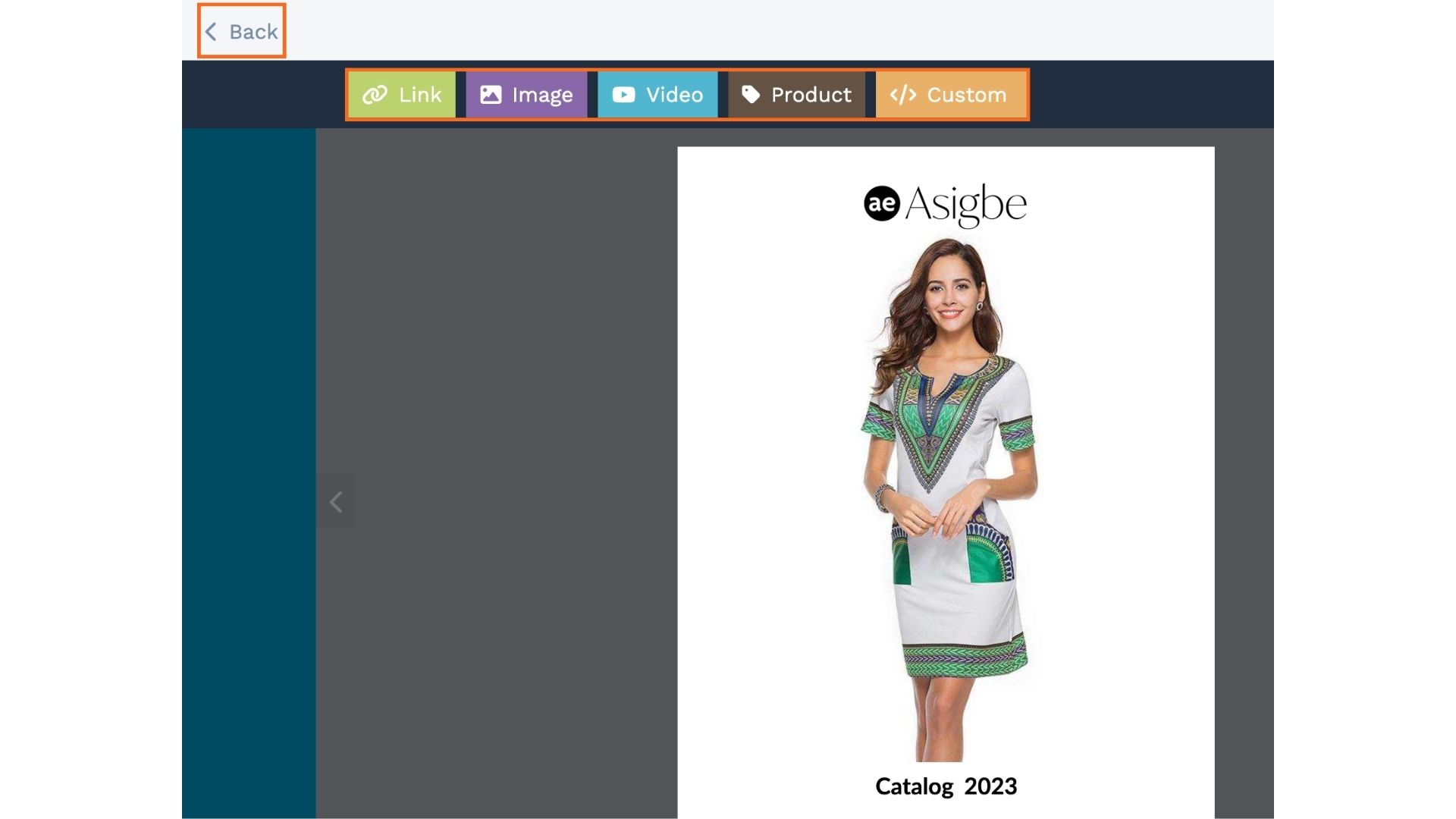
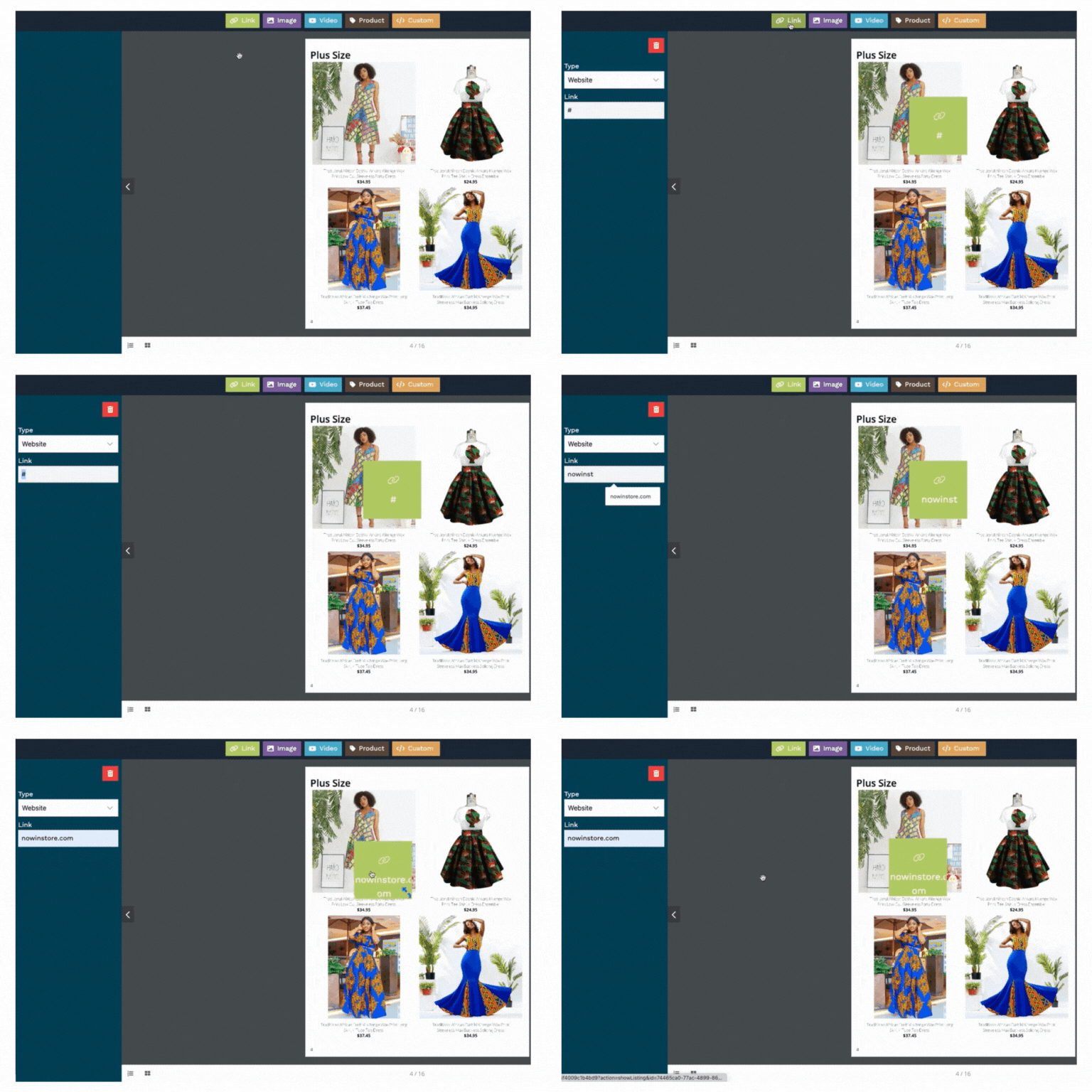
Adding links
First up, 'Add Link'. This is where you make your flipbook click-friendly.
Link to cool stuff and make it a breeze for your readers to explore more.
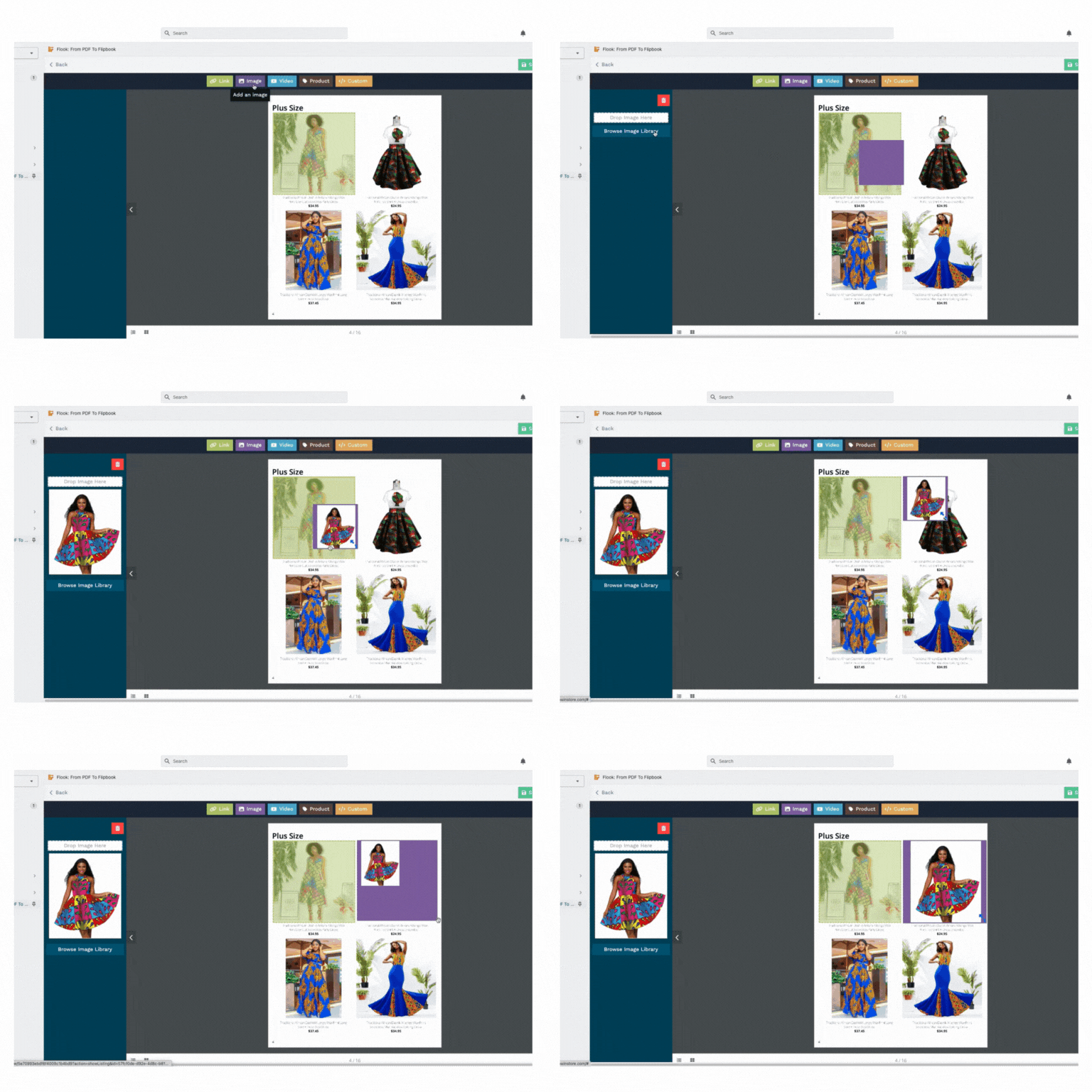
Adding images
Next, we have 'Add Images'. Let's make your flipbook look awesome with eye-catching images.
More visuals, more fun!
Adding videos
Moving on, we reach 'Add Videos'. This is your stage to embed YouTube videos right into your flipbook.
Because nothing tells a story quite like a video, right?
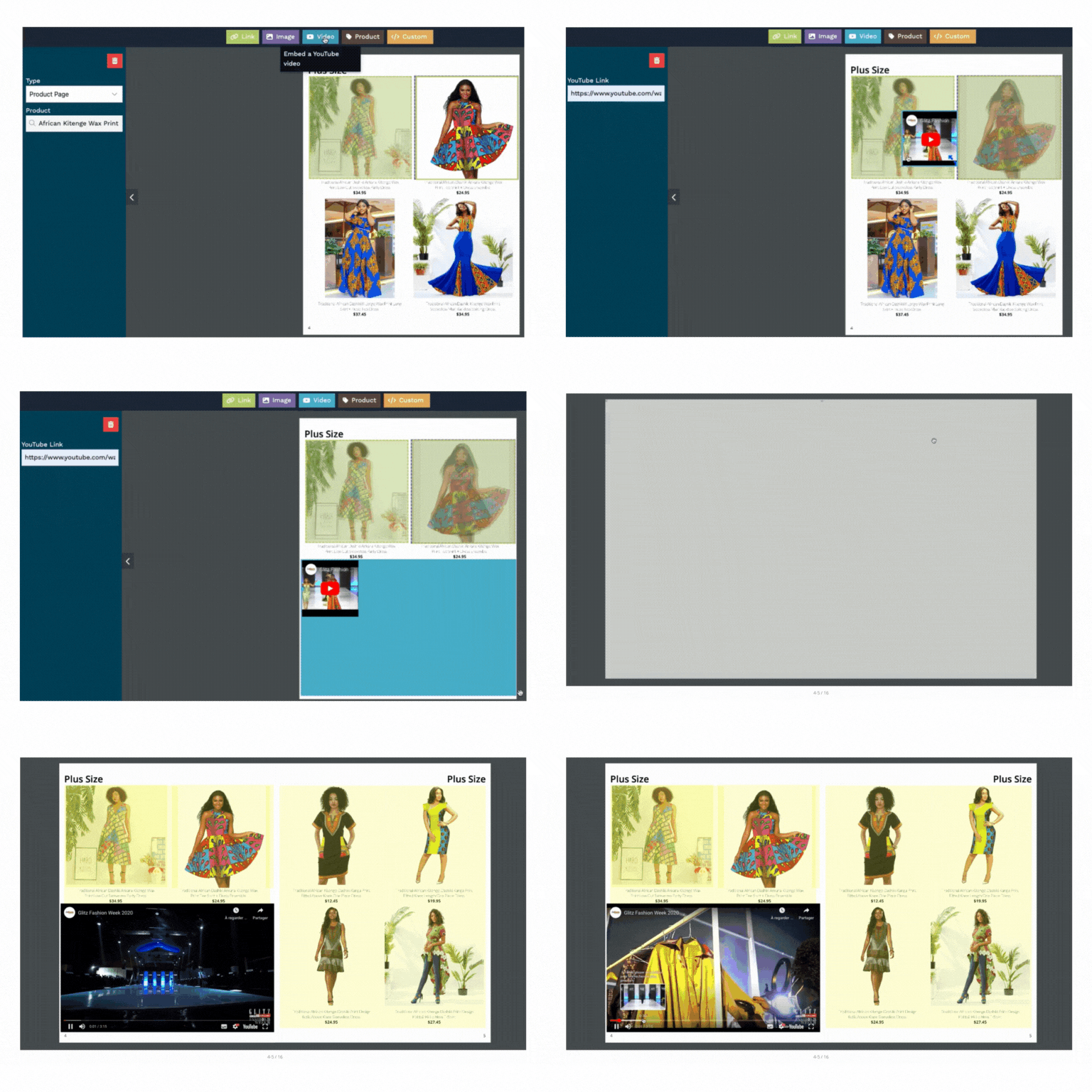
When you're done, click 'Preview' on the top right to see the result.
Adding Product
Now, let's get down to business with 'Add Product'. This feature lets you link your items directly from your store to your flipbook.
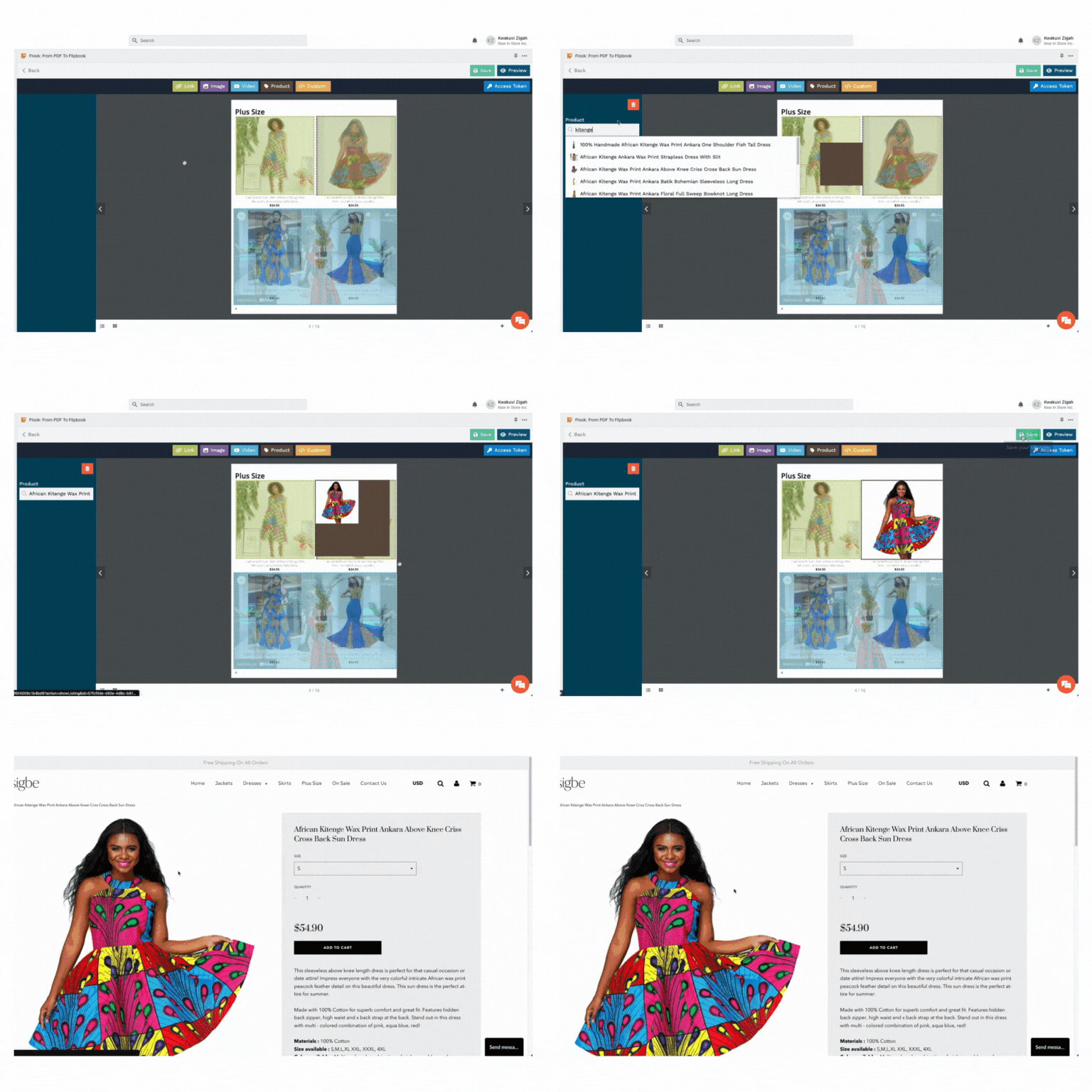
Easy browsing for your readers!
Add Custom HTML
Finally, we arrive at 'Add custom HTML'. Get creative and customize to your heart's content.
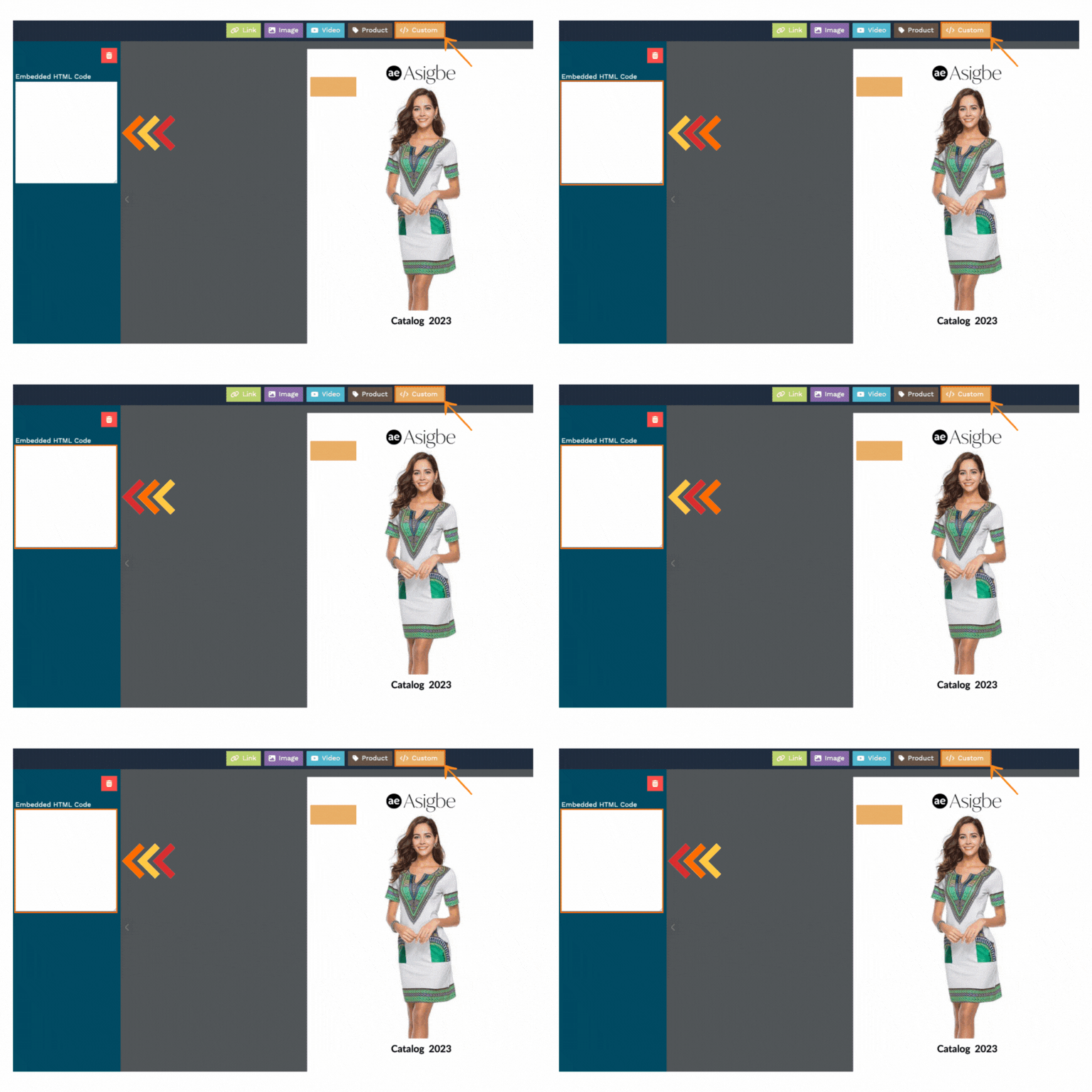
Remember, it's your flipbook, so make it uniquely yours!
Remember, we're here if you need a hand. Now, take off and make your flipbooks truly amazing with Flook.
Happy journey!